Spend an evening in any forum for handwriting apps and you will find the same post, written a hundred different ways. An update wiped my library. The backup I trusted stopped running months ago. Sync kept the wrong copy. I left my iPad on the train. Each one ends with a semester of lecture notes, a year of meeting sketches, or a thesis full of margin comments that are simply gone.
Most of those apps were built the same way: the notebook lives on one iPad, and the cloud is bolted on later as a backup. When the backup works, nobody notices. When it doesn't, you find out on the worst possible day.
We built Vinnote from the other end. The notebook lives in your account first. Your iPad, your iPhone, and any browser are windows onto that one notebook, not separate copies that hope to agree.
What "cloud-first" means in practice
It's a short list, and every item on it is something you never have to think about:
- Saved as you write. There is no export step and no backup to schedule. The little "Saved" at the top of the screen means your page is already in your account.
- Your own storage. Each account gets its own isolated space on our servers for documents, PDFs, and images.
- A copy on every device, for speed. Documents you've opened are kept locally, so they open instantly and keep working on a plane. Offline edits wait on the device and go up the moment you reconnect.
- Live on more than one screen. When the same document is open on two devices, each one checks for changes every few seconds, so ink from one appears on the other while you're still looking at it.
If your iPad breaks tomorrow, you sign in on a new one and your workspaces are there. Nothing to restore.
Web and iPad, at the same time
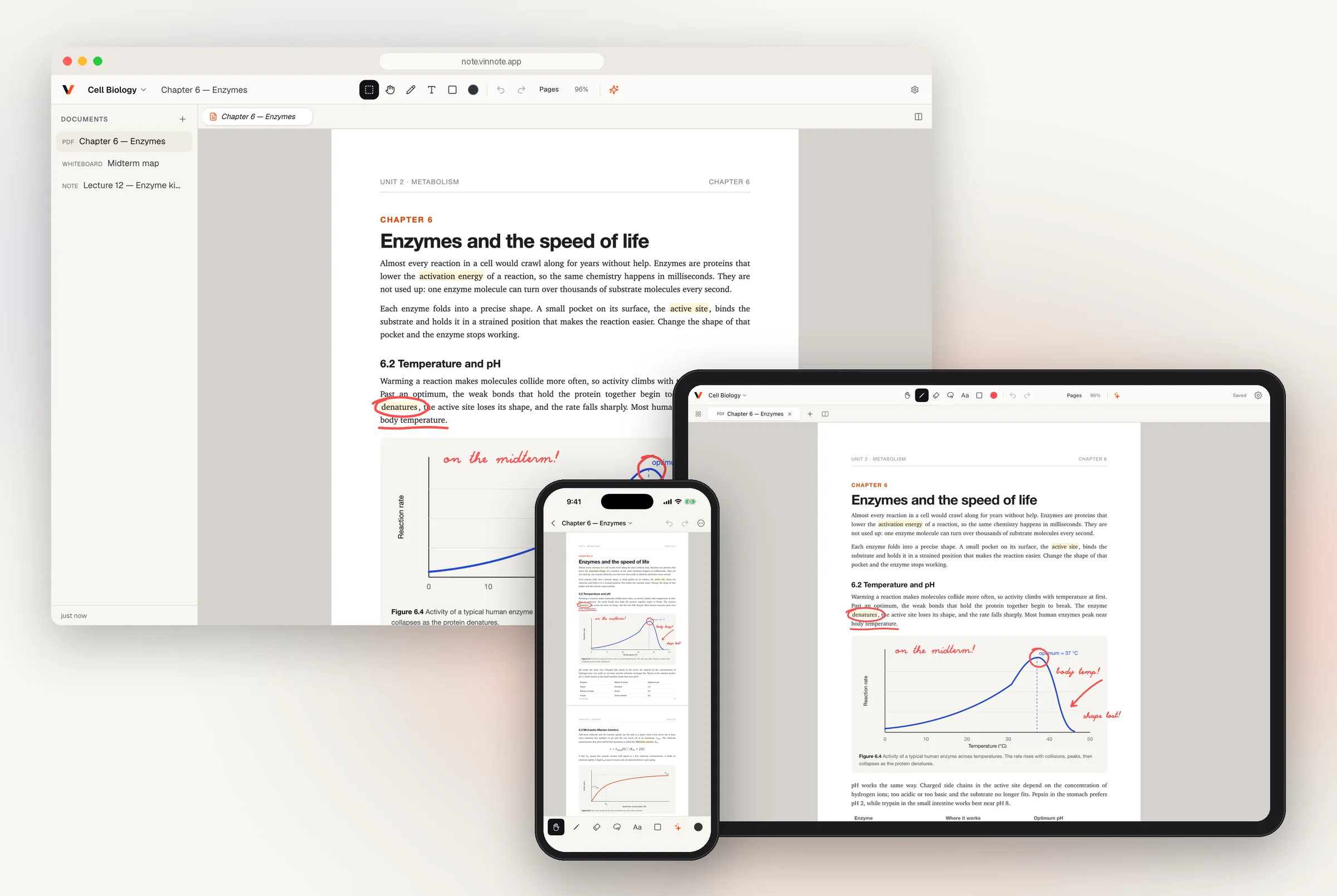
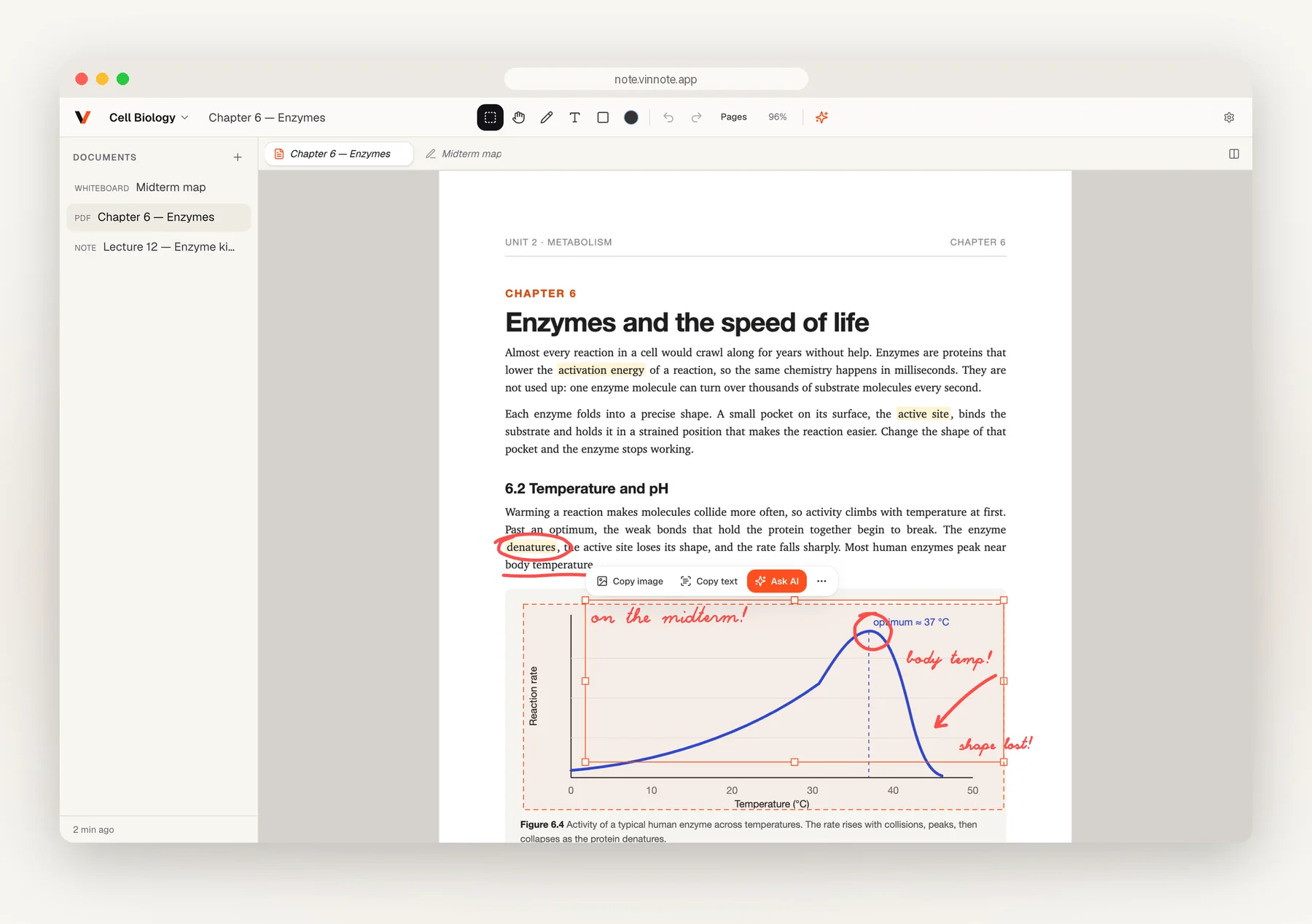
This is the part that's hard to explain until you see it. Open a chapter on your iPad, circle a word with Apple Pencil, and scribble a note beside the chart.
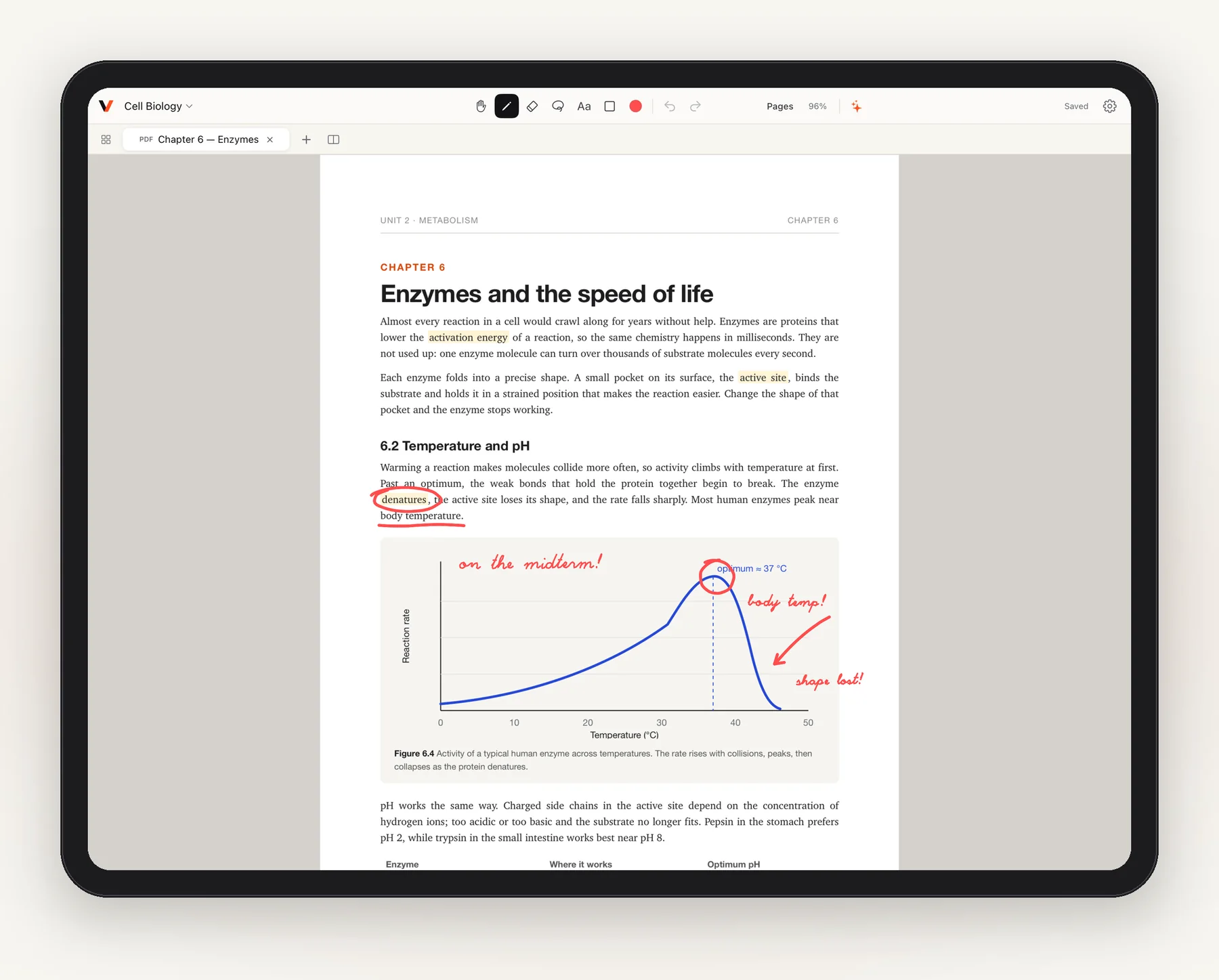
Now look at the browser tab on your laptop. The same ink is already there, on the same page, at the same spot.
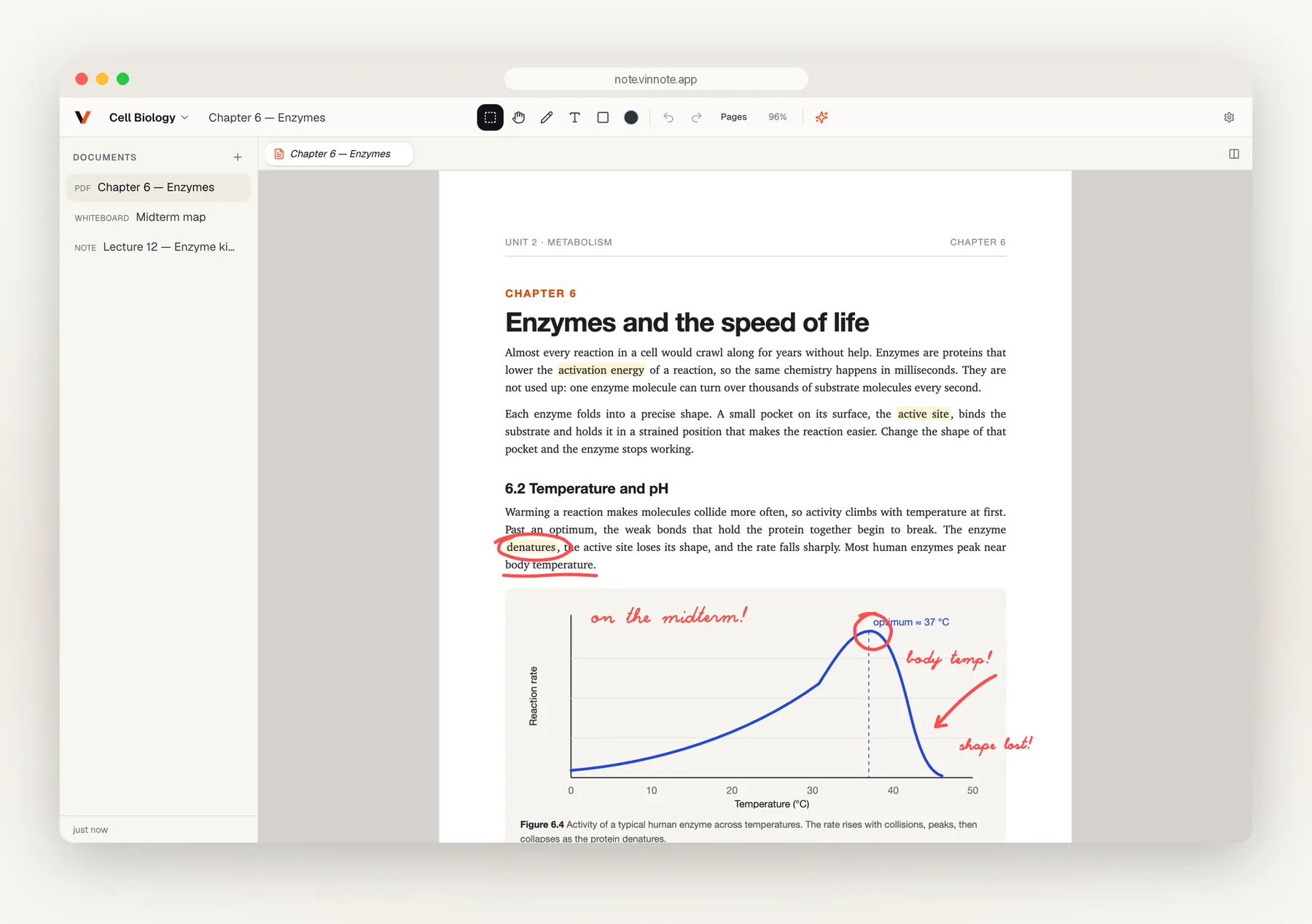
That changes how you can work. Read and annotate on the iPad with a pencil in hand, then pull the same page up on a lab computer or a work laptop to type up a summary. There's nothing to install on the browser side: the whole notebook runs at note.vinnote.app. On iPhone, the same pages fit in your pocket for a quick review on the bus, and a finger works as the pen.
Whiteboards, notes, and PDFs in one place
A notebook isn't only one kind of page, so a workspace in Vinnote holds three kinds of documents side by side.
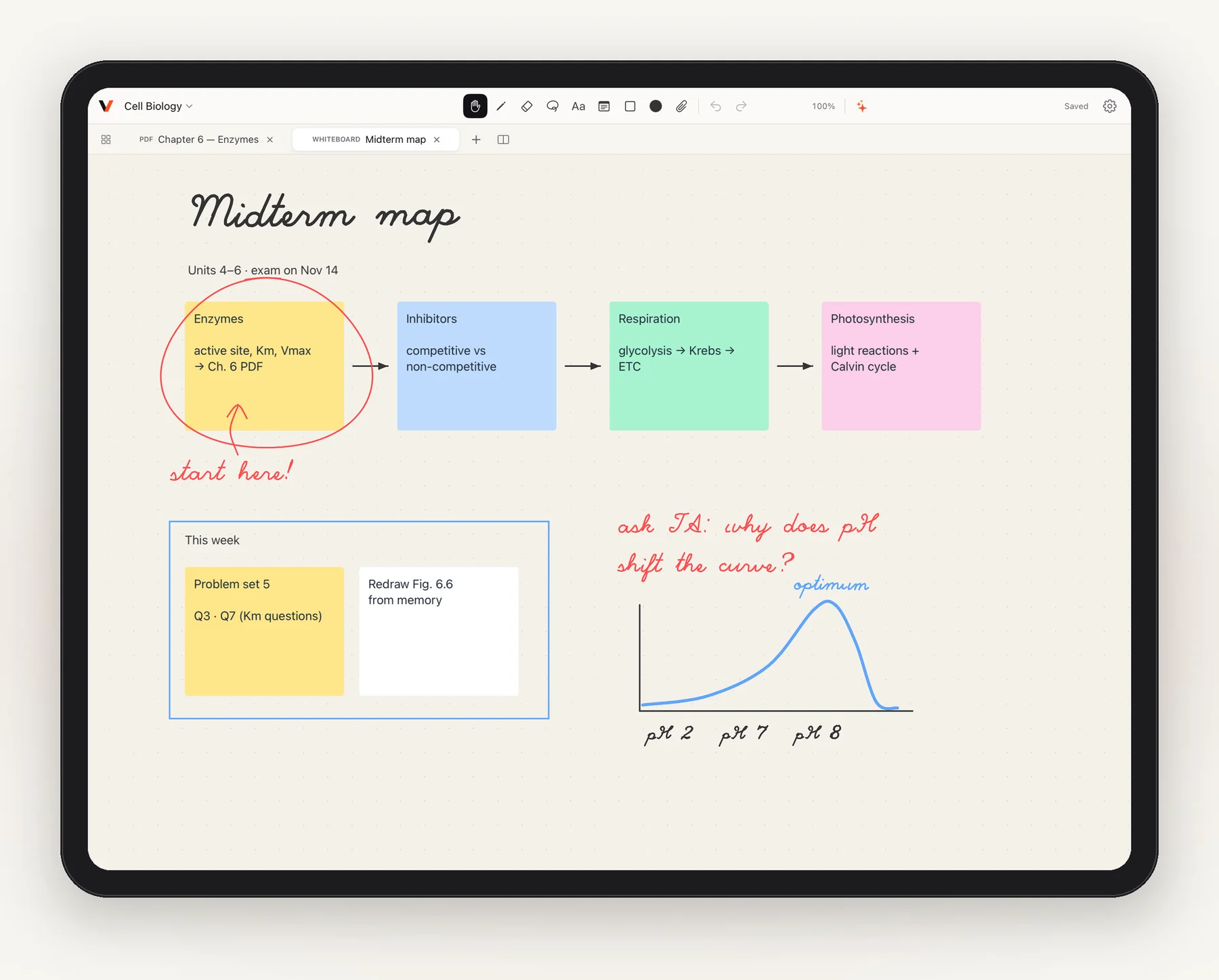
Whiteboards are an endless canvas for thinking out loud: sticky notes, shapes, arrows, text, pasted images, and handwriting, all on the same surface. Drag out a sticky, connect two ideas with an arrow, circle the one you'll start with.
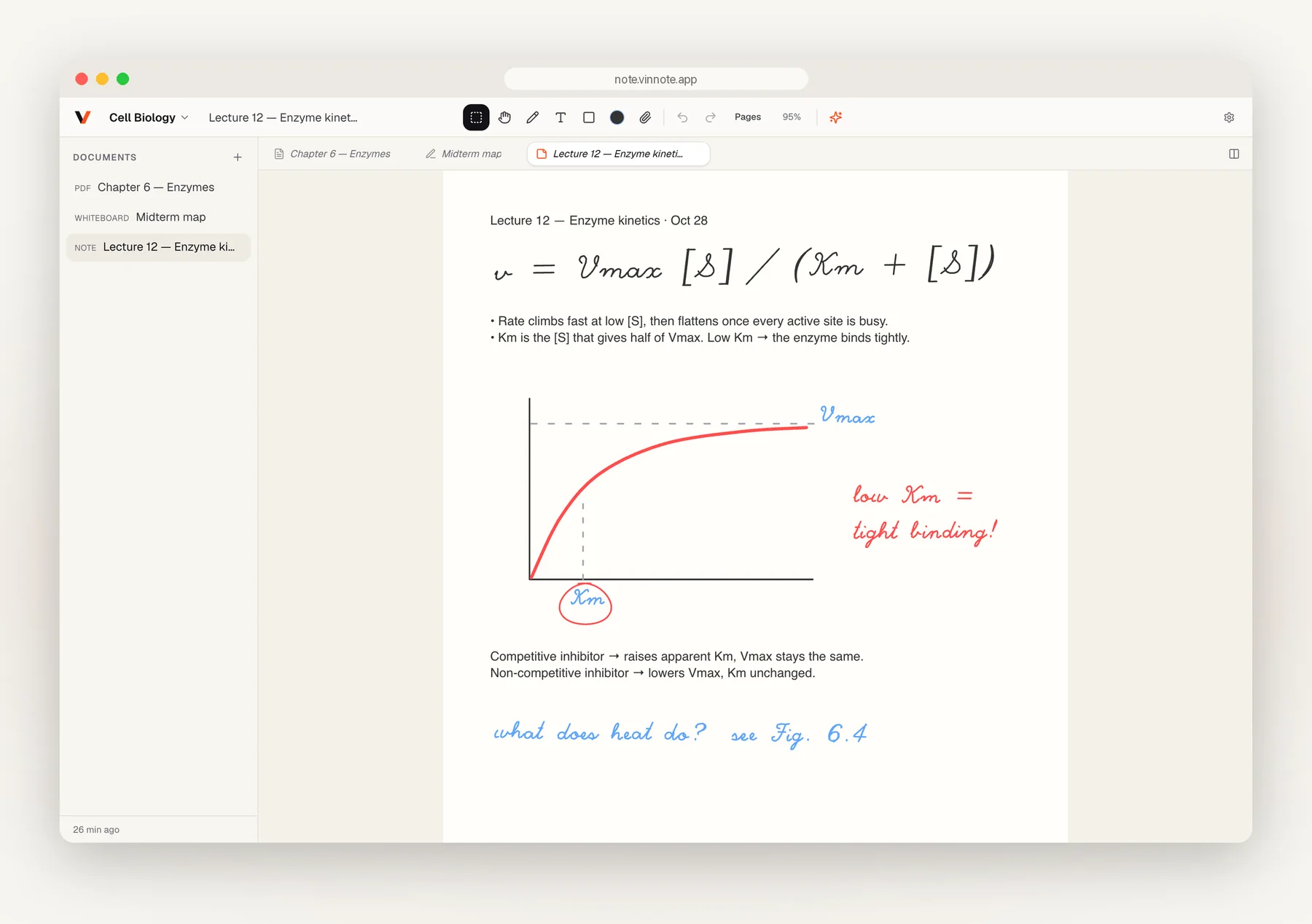
Notes are paper. Pages flow down like a real notebook, and you can type and write on the same page: an equation in your own handwriting, a quick sketch of a graph, a typed summary underneath.
PDFs are for everything you're handed: textbooks, papers, slides, contracts. Import one and write on it like paper. Keep a PDF and a whiteboard open in tabs, or side by side in split view, and move between reading and thinking without changing apps.
All three sync the same way. A whiteboard you started on the web keeps going on the iPad; a note you wrote on the iPad is there when you open your laptop.
Bring your own AI key
Vinnote can answer questions about your pages. Select a chart, a paragraph, or your own handwriting, and an Ask AI button appears right next to the selection. The answer lands beside your notes, and it stays with the document for next time.
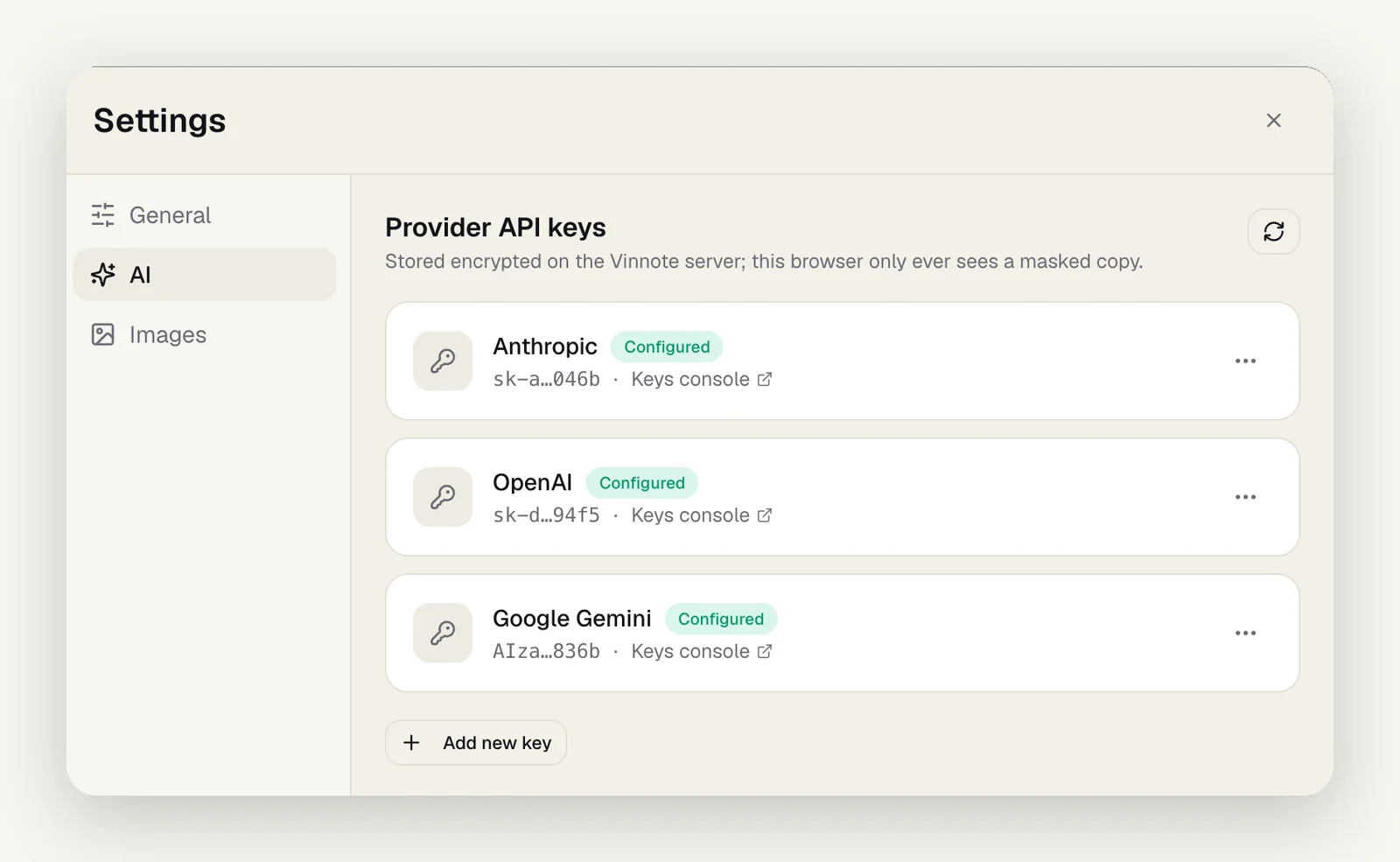
The AI runs on your own key. In Settings → AI, add an API key from Anthropic, OpenAI, Google Gemini, or xAI, and choose the model you want. Keys are stored encrypted on our server; your browser only ever sees a masked copy.
Using your own key means you choose the model, you see the usage on your own bill, and you can switch providers whenever a better model ships. When you ask, Vinnote sends only what you selected (or, with nothing selected, the text on screen) to the provider you picked. Nothing else from your notebook goes along. And if you never add a key, Vinnote is still a complete notebook.
What cloud-first doesn't mean
Starting in the cloud is about keeping your notes safe and in reach, not about doing anything else with them. We don't sell your data, and we don't train models on your pages. Offline still works. The AI only sees what you hand it.
Try it on two screens
The best way to understand Vinnote is to open it twice. Get it for iPad and iPhone, open note.vinnote.app in a browser next to it, and write on one while you watch the other.